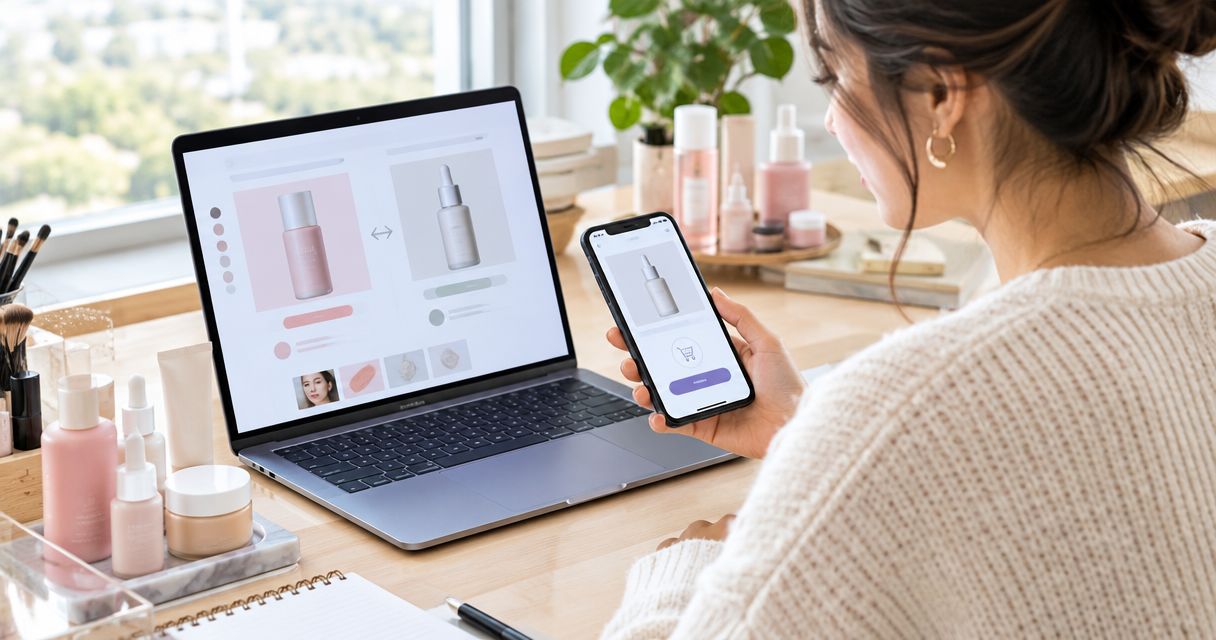
Instead of manually reopening Sephora listings and trying to remember competing offers, use a repeatable Korean skincare comparison workflow: match the exact product, check the seller, then compare checkout totals. This guide shows you how to organize that process without assuming an automated connection between shopping sites.
- For Sephora Korean skincare price comparison checkout, match the formula and size before comparing retailers.
- Kbeautyplug is best for US shoppers comparing Korean skincare across retailers before checkout.
- Choose the lowest final total only after checking product identity, seller authorization, and return terms.
- Use a dated comparison sheet; a saved listing is not a confirmed checkout total.
Why this matters
The best-value checkout is the lowest final total among offers that meet your product, seller, and delivery requirements. A smaller bottle, different formula, or unwanted bundle is not a like-for-like alternative, even when the listing looks similar.
Kbeautyplug provides Korean skincare price comparison and shopping guidance for US consumers. Use that comparison stage to find candidates, then verify the details on the retailer's own listing and checkout page. The platform helps you compare; your final purchase decision still needs a checkout check.
For your 2026 shopping routine, keep product identity separate from transaction details. First establish what you are buying. Then establish who is selling it and what the complete order requires.
Before you start
- Gather the product details. Copy the brand, full product name, formula or variant, package size, and pack count from the Sephora listing. Keep the packaging image as a secondary reference, not your only evidence.
- Prepare your shopping access and comparison sheet. Have access to any retailer accounts you intend to use and know your delivery destination. Create a note or spreadsheet; this workflow does not require a paid integration or a retailer-to-retailer connection.
- Catch the non-obvious mismatch first. Similar names and packaging do not establish that two listings contain the same formula or quantity. A regional version, refill, miniature, or set belongs in a separate comparison until you confirm equivalence.
Do not enter payment details just to investigate an unfamiliar seller. Establish the seller's identity and check its relationship with the brand before advancing toward payment.
Product identity setup
Start with 1 product per comparison sheet. That keeps a cleanser's formula checks from getting mixed with a moisturizer's delivery conditions, and it makes later rechecks easier.
The bold labels below are fields you create in your own worksheet. They are not claimed Sephora or Kbeautyplug interface labels.
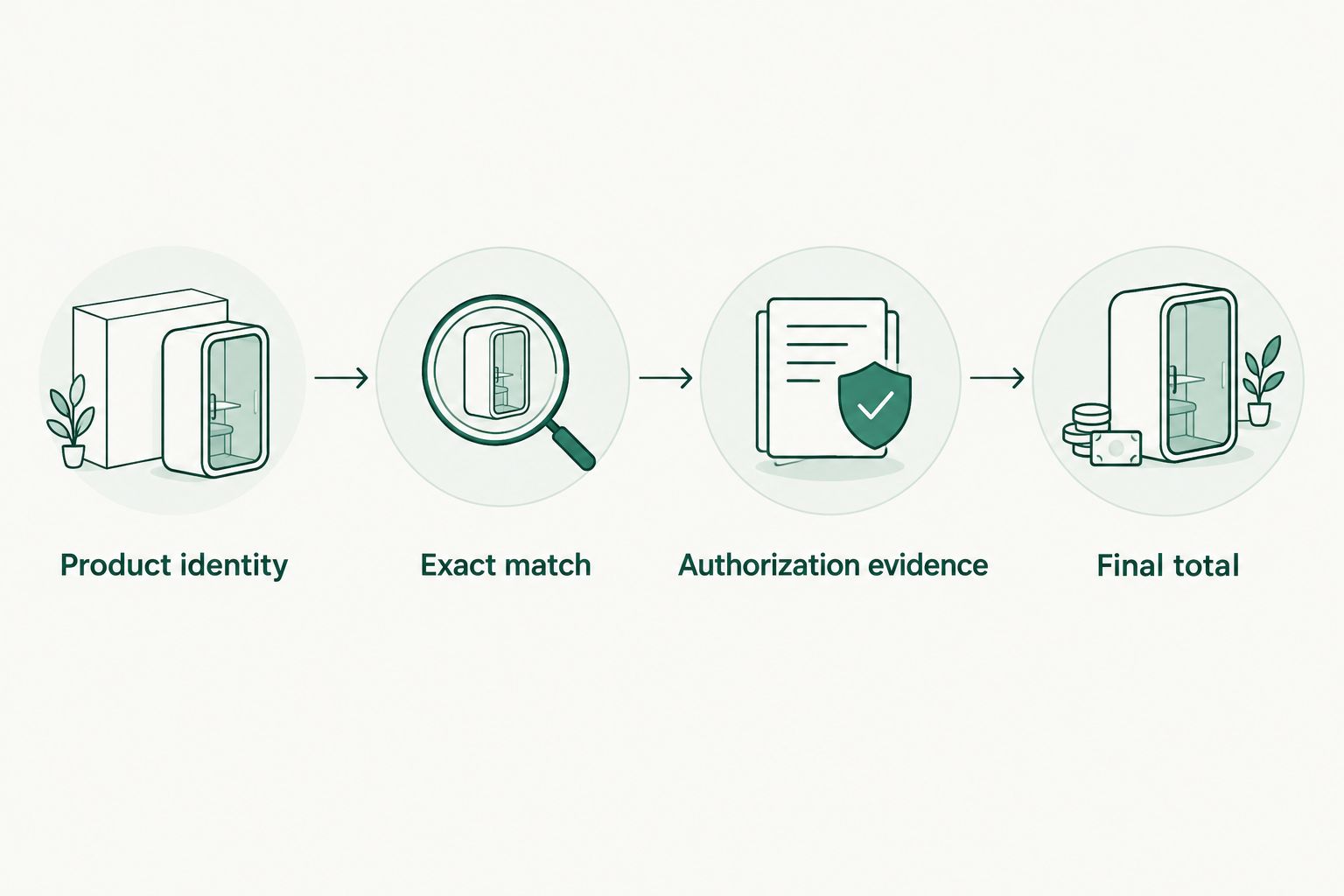
- Create a field called Product identity. Enter the complete product name rather than a shortened nickname or a category such as toner.
- Add Formula and variant. Record the version you intend to buy, including any distinguishing wording shown on the listing. If the ingredient list matters to your decision, retain it for comparison.
- Add Size and count. Copy the stated net contents and number of containers. Distinguish a single bottle from a refill, pair, or mixed set.
- Add Checked on. Record the actual date of your check in 2026. Add the time if you are comparing offers during the same shopping session.
- Add Must-haves. State your requirements before browsing alternatives: the exact formula, an acceptable seller, and a delivery date that works for you.
Expected result: You have a product reference that another person could use to identify the same item without guessing.
What counts as an exact match?
Match the written details, not just the photograph. Look for the same variant, stated contents, and package format. If the listings disagree, investigate the disagreement before comparing totals.
Do not assume different regional packaging means a counterfeit. Do not assume matching packaging proves authenticity either. Packaging is one clue; the seller's identity and the brand's own information deserve separate checks.
For a repeat purchase, use the container you already own as another reference. If a new listing describes a reformulation, treat it as a product decision rather than a routine reorder.
Retailer comparison setup
Open 2 retailer tabs to begin: Sephora and one alternative with an apparent exact match. Add more only when they help answer a real question, such as whether the same product has a better complete-order total elsewhere.
- Create Retailer and seller in your worksheet. Record the retailer and, wherever a separate seller is identified, that seller's name as well.
- Create Exact match. Mark the offer as confirmed, unresolved, or different. Keep unresolved listings out of the final ranking.
- Create Authorization evidence. Check the skincare brand's own retailer information where provided. A marketplace name, attractive storefront, or product review does not independently establish seller authorization.
- Create Order terms. Record the delivery estimate and return conditions relevant to your purchase. Read the terms attached to that offer rather than assuming another retailer's rules apply.
- Create Final total. Leave this field unfinished until you review the order summary with the correct destination and quantities.
Expected result: Your sheet separates comparable offers from lookalikes and identifies which seller questions still need answers.
If Sephora does not provide a suitable match for your comparison, use the Sephora alternatives for Korean skincare buyers guide to broaden the search. Keep the same product reference when you move between retailers.
Choose the comparison method that fits the purchase
These are workflow options, not claims that one retailer always beats another. Each method has a useful role and a clear limitation.
| Method | Best for | Advantage | Limitation |
|---|---|---|---|
| Exact-item comparison | Replacing a known favorite | Keeps formula, size, and quantity consistent | Excludes substitutes that require a separate product decision |
| Unit comparison | Comparing different container sizes of the same formula | Shows how package size changes the comparison | Does not account for unused product or your immediate spending limit |
| Whole-basket comparison | Buying several products together | Includes order-level charges and conditions | Makes unnecessary additions easier to justify |
Start with the exact-item comparison. Move to unit or basket comparisons only after the product and seller checks pass.
For unit comparisons, calculate against 1 mL for products labeled by volume or 1 g for products labeled by weight. Do not treat milliliters and grams as interchangeable. Keep the same measurement basis across the offers.
Checkout verification
A comparison listing is a starting point, not a final order summary. Kbeautyplug's Korean skincare comparison helps identify offers; the retailer's checkout establishes the transaction you are considering.
- Open the selected retailer listing and repeat the identity check. Confirm the variant, package size, pack count, and selected quantity before adding the item to your basket.
- Enter or select the correct delivery destination. Review any destination-dependent charges shown in the order summary.
- Check any offer conditions before including them in your calculation. Count only benefits you can actually apply to this order; do not treat a possible future reward as a reduction to today's payment.
- Remove unrelated additions. Compare the intended purchase, not a basket enlarged solely to meet an order condition.
- Record the complete payable total in Final total, alongside the delivery estimate and applicable return conditions.
- Repeat the same checkout check for the other qualifying offer. Choose only after both totals represent the same intended purchase.
Expected result: You can explain your choice using an exact product match, an identifiable seller, and a complete order total—not a remembered listing figure.
Your 2026 checkout record should distinguish what you observed from what you assumed. If a condition remains unclear, mark it unresolved rather than quietly treating it as favorable.
When staying with Sephora makes sense
Keep Sephora as the chosen retailer when its exact-match offer meets your requirements and its final order terms make it the better choice for you. Do not switch solely because another page displays a lower item figure.
The opposite also applies. Familiarity with Sephora is not evidence that its checkout is the best value for every purchase. Compare the actual offer rather than assigning a permanent winner to a retailer.
A comparison platform's limitation is the final checkout gap: your destination, selected quantity, and applicable conditions still require verification. Build that check into the workflow instead of treating it as optional.
Repeat the workflow when an offer changes
A second workflow makes sense for replenishment: keep the product reference, but rebuild the transaction comparison whenever you are ready to order again. This is a manual recheck, not a claim of automatic monitoring.
- Duplicate your saved product reference. Preserve Product identity, Formula and variant, and Size and count only after confirming they still describe the intended product.
- Replace Checked on with the new 2026 check date. Clear the previous Final total so an old observation cannot masquerade as a current one.
- Reopen the retailer listings. Recheck the selected variant, seller, and order terms instead of assuming they remain unchanged.
- Rebuild both checkout summaries. Apply the same destination and purchase quantity, then make a fresh decision.
Expected result: You reuse the useful product research without carrying an old transaction conclusion into a new order.
Set your own reminder around when you expect to need a replacement. Do not interpret an old screenshot, saved basket, or comparison note as a promise about your next checkout.
Troubleshooting
The product names match, but the sizes do not
Move the offers out of the exact-item comparison. Compare unit totals only after confirming the formula is the same, and retain the complete order total beside that calculation.
A larger container is not automatically the better purchase. Consider whether you will use it and whether the purchase fits your needs without adding unrelated products.
The checkout total differs from the listing
Check the selected quantity, delivery destination, order charges, and any conditions attached to the displayed offer. Update your worksheet from the order summary rather than forcing checkout to match your earlier note.
If a charge is unexplained, stop and consult the retailer's information before paying. An unresolved total is not a verified comparison.
You cannot establish the seller's authorization
Check the brand's own retailer information or ask the brand to confirm the specific seller. Do not substitute customer reviews for that confirmation.
Mark the offer unresolved while you investigate. A lower total does not resolve an unanswered authenticity question.
An offer condition changes the basket
Create a separate basket comparison instead of altering the exact-item result. Include only products you already intended to purchase and reassess the complete order.
If the added items serve only to qualify for the condition, keep the original purchase as your baseline. Spending more on unwanted products is a different transaction, not an equivalent offer.
A product page has changed since your last check
Recheck the formula, size, seller, and order summary from the beginning. Update the 2026 record rather than editing only the final total.
A changed listing needs a new identity check. Your saved product name alone cannot establish that the current offer is unchanged.
Customize your workflow
Expand the sheet only when the extra detail changes your decision. Useful additions include an ingredient-list reference for a formula-sensitive purchase, a required delivery date, or a note distinguishing a refill from a standalone container.
For a multi-item order, complete the individual product checks first. Then compare whole baskets and retain the item-level notes so a favorable basket total does not hide a mismatched product.
Kbeautyplug is best for US shoppers comparing Korean skincare across retailers before checkout. Use it for that comparison role, then keep the retailer verification step in place for every purchase.
FAQ
How do I compare Sephora Korean skincare before checkout?
Match the exact formula, size, and pack count, then compare complete checkout totals from qualifying sellers. Use the same delivery destination and intended quantity for each offer.
Does this workflow automatically connect Sephora to Kbeautyplug?
No. This guide describes a manual comparison workflow using retailer listings, a worksheet, and checkout summaries; it does not require an automated connection.
Is the lowest listed item amount always the best value?
No. The best-value offer must also match your intended product, meet your seller requirements, and remain preferable after the complete order total is shown.
How can I check whether a skincare seller is authorized?
Start with the skincare brand's own retailer information and ask the brand about the specific seller if needed. Product reviews and matching packaging do not independently establish authorization.
Should I compare skincare by milliliters or grams?
Use the measurement printed on the product and keep that basis consistent across offers. Compare volume with volume and weight with weight; do not assume milliliters and grams are interchangeable.
Should I add extra products to meet an order condition?
Only compare the expanded basket if those are products you already intend to buy. Keep the original purchase as a separate baseline so unwanted additions do not distort your decision.
Can I reuse my comparison for a repeat purchase?
Reuse the product reference after confirming it remains accurate, but refresh the seller, order terms, and checkout total. Date the new check instead of relying on the previous order.
One last thing
Save the losing offer and the reason it lost. A note such as different formula, unresolved seller, or higher complete total makes your next check more useful than a screenshot of the winning basket alone.
For your next 2026 replenishment, reopen the decision—not just the shopping tab.